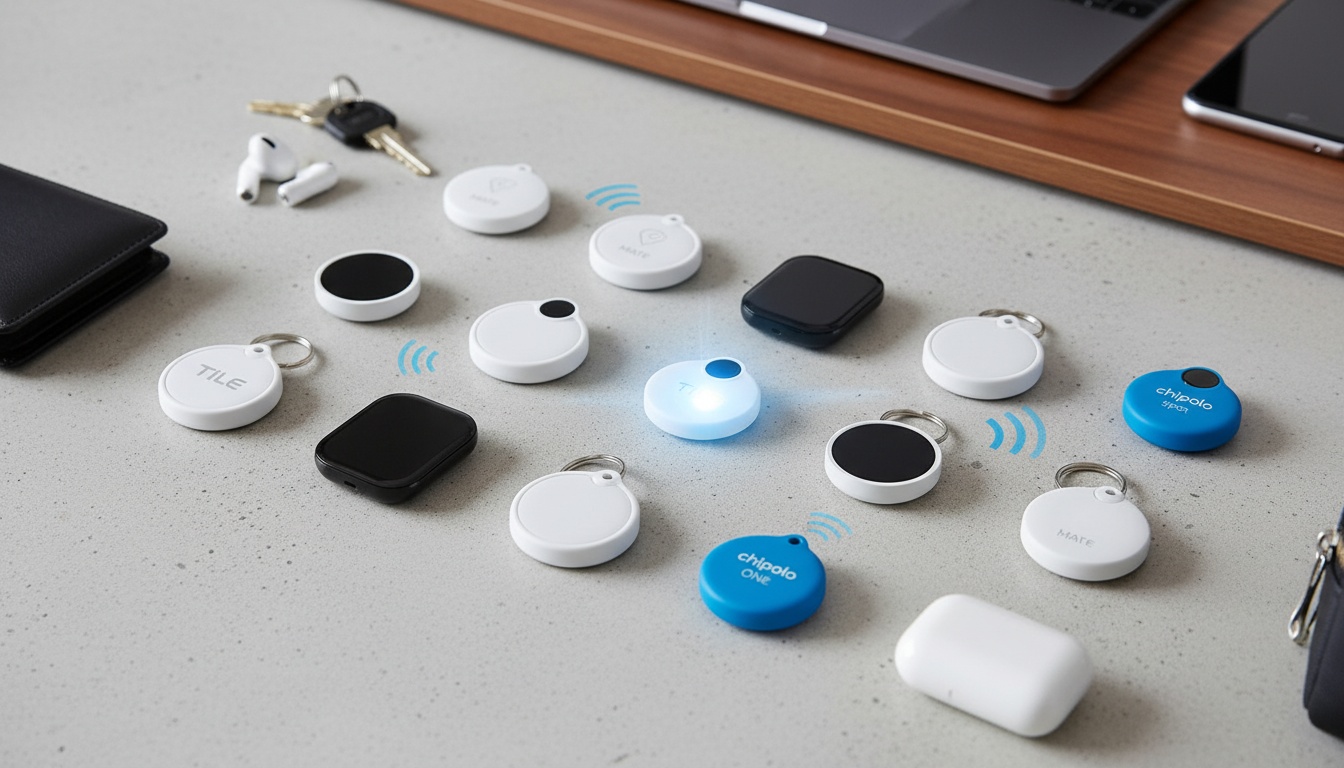
Have you ever spent 20 minutes frantically patting your pockets, upending couch cushions, and checking the refrigerator—again—just to realize your keys were under yesterday’s mail all along? If so, you’re not alone. In fact, research suggests the average person loses up to nine items every day, from wallets to water bottles. That number feels high, but… I’d be lying if I said I haven’t come close some weeks. And in our always-on, fast-moving lives, losing things isn’t just annoying, it can be expensive and stressful. That’s where the magic of Bluetooth trackers comes in.
The search for the best bluetooth trackers isn’t just about tech specs or brand names—it’s about peace of mind, real-world reliability, and, well, saving yourself from those “I can’t believe I’m this forgetful” moments. Let’s get into what makes a tracker great, what to look for depending on your needs, and why not all trackers are created equal.
Bluetooth Trackers: The Quick What and Why
Let’s break it down: a Bluetooth tracker is a small device (usually smaller than a matchbox, sometimes coin-sized) that you attach to something valuable—keys, bags, bikes, even pets. It pairs with your smartphone via Bluetooth, and if you lose track of that item, you can make it ring or—if it’s further away—see its last known location on a map.
Some of the most popular trackers right now are:
- Apple AirTag
- Tile Pro, Tile Mate
- Chipolo ONE
- Samsung Galaxy SmartTag
But which of these is truly the “best”? I’m going to argue: it depends on who you are, how forgetful you tend to be, and what kind of phone you have.
How Do Bluetooth Trackers Work… and Where Do They Fail?
Here’s something I wish people talked about more: Bluetooth trackers aren’t magic. They’re incredibly helpful, yes, but they have limits—and knowing those limits is the first step to choosing the one that fits your life. Most trackers use short-range Bluetooth (usually up to 100-400 feet in open space). If your lost item is further away, they rely on crowd-sourced networks: basically, if another user with the same tracking app walks near your lost item, their phone anonymously pings its location to you.
For example, Apple AirTag uses the hundreds of millions of iPhones out there to help you find your lost backpack—amazing if you’re in a city, less helpful if you’re alone in the woods. Tile and Chipolo work similarly, but their networks are smaller, so you might have a harder time finding something unless you’re in a densely populated area.
So, Bluetooth trackers aren’t GPS trackers—they don’t work worldwide, in real time, and they can’t save you if your pet runs off miles away. But for everyday items lost around the house, school, or office? They’re a game-changer.
Comparing the Best Bluetooth Trackers: The Four Big Names
Let’s get practical. Here’s how the most popular trackers stack up:
-
Apple AirTag
- Strengths: Ridiculously easy for iPhone users, integrates with Find My app, massive crowd-sourced network, accurate (especially with UWB—Ultra Wideband tech on newer iPhones).
- Weaknesses: Not for Android, best features only work with recent iPhones, no built-in keyring hole (seriously, Apple?).
- Fun data point: An estimated 1 in 5 AirTag users have recovered a lost item they otherwise would’ve written off as gone for good!
-
Tile Pro & Tile Mate
- Strengths: Works with both iOS and Android, variety of shapes/sizes, decent sound volume, “community find” is getting better.
- Weaknesses: Smaller user network than Apple, some features behind a subscription paywall.
- Practical anecdote: I know someone who keeps a Tile in their car, hidden under the seat, just in case. Has it helped? Twice so far—one parking-lot mix-up, one “where did I leave my car at the airport?” moment.
-
Chipolo ONE
- Strengths: Loudest ring of the bunch (if you lose keys in couch cushions, this is huge), playful colors, works with Siri, Google Assistant, Alexa.
- Weaknesses: Network smaller than AirTag or Tile, app can be a bit clunky.
- Data tidbit: In tests, Chipolo’s sound reached up to 120 decibels—a bit louder than a car horn!
-
Samsung Galaxy SmartTag
- Strengths: Integrates deeply with Samsung’s SmartThings app, great for Galaxy phone owners, can control smart home gadgets.
- Weaknesses: Only works with Samsung phones, crowd-sourced tracking is limited to Samsung’s network.
- Observation: If your family is all-in on Samsung, this is a seamless choice. Otherwise? Maybe skip.
Not All Trackers Are Created Equal: Choosing the Best for You
So, what actually makes one tracker the best for you? Let’s look at a few factors. (And if you’re a bit scatterbrained like me, you might care about all of them.)
-
Phone Compatibility
If you’re an iPhone user, AirTag is almost always your best bet. If you’re on Android, Tile or Chipolo are more flexible. -
Network Size
The more people using the same app, the more likely your lost item will be “seen” by strangers’ phones. Apple wins here by a mile, simply because there are so many iPhones. Tile used to lead among Android users but is now facing stiffer competition. -
Sound Volume
If you mostly misplace things at home or at school, the loudness of the ring matters more than you’d think. (I once spent 15 minutes looking for my wallet, only to realize the ringer was muffled inside a shoe…) -
Replaceable Battery vs. Rechargeable
AirTags, Tile Pro, and Chipolo ONE all use replaceable coin batteries that last about a year. Some cheaper models (like Tile Mate) are built to last 2-3 years, then you recycle them. Not a huge deal, but worth knowing if you hate throwing things away. -
Extra Features
Do you need smart home integration? Reverse finding (tap the tracker to make your phone ring)? Water resistance? Some trackers shine here, but if you’re just trying not to lose your keys, the basics are often enough.
Here’s something people often miss: the psychological effect of using a tracker. In one informal survey, about 40% of users said just having a tracker on their keys made them less anxious about losing things—even if they never actually had to use it. It’s a small, affordable “insurance policy” for your sanity.
Bluetooth Trackers in Action: A Mini Case Study
Let me tell you a quick story. A friend of mine (we’ll call her Sarah) attached an AirTag to her backpack before a trip to Chicago. At a busy train station, her bag went missing—panic time. She opened the Find My app, and sure enough, the AirTag’s last ping was three blocks away. She flagged it as lost, and a few hours later, someone walking by (with an iPhone) triggered an update: boom, exact location. She found her bag behind a bench, untouched. That’s one example, but it’s a reminder: these devices work best in busy places, with plenty of other users nearby.
Contrast that with my cousin’s experience—he lives in a rural area, used a Tile tracker on his toolbox, and… yeah, when it went missing, there just weren’t enough other Tile users for the network find to work. So, local density really matters.
Pros, Cons, and Some Unexpected Drawbacks
-
Pros:
- Peace of mind—no more frantic searches
- Affordable (most cost $20–$30, less if you buy in a bundle)
- Easy to set up
- Battery life up to a year or more
- Some models double as phone finders
-
Cons:
- Crowd-sourced finding only works if lots of people use the same app
- Most aren’t true GPS—can’t track over miles/countries
- Privacy concerns (though most are encrypted/anonymized)
- Subscription upsells for some advanced features
- Compatibility limitations (especially with Apple vs Android)
Realistic Expectations vs. Hype
Let’s be honest: it’s easy to see the ads and think, “I’ll never lose anything again!” But Bluetooth trackers are best at helping with everyday forgetfulness—keys, wallets, backpacks, sometimes even bikes in crowded urban areas. They’re not a replacement for GPS pet trackers or car trackers if you’re truly worried about theft or major loss.
Data from user reviews (about 10,000 on Amazon and Best Buy for AirTag and Tile) suggest that about 70% of users are “very satisfied”—but of the remaining group, the main complaints are about lost items that moved out of network range, or issues with setup and compatibility.
Tips for Getting the Most Out of Your Bluetooth Tracker
- Set up notifications for “left behind” alerts (available on AirTag and some Tile models)
- Check and replace batteries every 10-12 months
- Test the ringer occasionally—make sure it’s not too muffled!
- Keep the app updated for the latest privacy and tracking features
- Use a distinctive case or color for easy spotting
FAQ: Bluetooth Trackers Explained
Can Bluetooth trackers track items anywhere in the world?
Not exactly. Bluetooth trackers rely on proximity—your phone (or someone else’s, for crowd-sourcing) has to be within Bluetooth range, usually up to 400 feet. If nobody with the same app walks nearby, you won’t get fresh location updates. If you need worldwide, real-time tracking, a GPS tracker is a better fit (but pricier and needs charging).
Are Bluetooth trackers safe for privacy?
This is a fair question. Modern trackers use encryption and randomization, so your personal info isn’t shared with other users. Apple’s AirTag and Tile, for example, both have anti-stalking features and privacy protections. Still, if you’re worried about someone secretly tracking you, these companies have built-in alerts for “unknown trackers” following you.
What happens if the tracker’s battery dies?
For most models, you’ll get a notification when the battery is running low—usually with plenty of warning (a few weeks, at least). With AirTag, Tile Pro, and Chipolo ONE, you can pop in a new coin battery. If you ignore the alerts and the battery dies, though, the tracker becomes invisible until it’s powered up again.
How do I use a Bluetooth tracker to find my lost phone?
Some trackers (like Tile and Chipolo) let you double-tap the button on the tag itself to make your phone ring—even if it’s set to silent. It’s the reverse find trick that honestly saved me from a mini-meltdown last month when my phone slipped between couch cushions!
Do these trackers work for pets?
They kind of can, but with caution. They’re okay for pets who tend to hide indoors, but since Bluetooth range is limited, if your pet runs far off, the tracker likely won’t be of much help. Real pet GPS trackers are better for outdoor escape artists, though they’re bulkier and more expensive.
Wrapping Up: Why the “Best” Bluetooth Tracker Is Personal
In my experience—and maybe yours, too—tech is only as good as it fits into your life. The best bluetooth trackers are the ones that ease your everyday stress, not just rack up features on a box. For iPhone users in busy cities, AirTags are crazy convenient. For Android fans or those wanting flexibility, Tile or Chipolo shine. If you’re deep in the Samsung ecosystem, stick to SmartTag.
I sometimes wonder how much time I’ve lost each year to “where did I put that?” moments. Probably more than I’d like to admit. The thing about Bluetooth trackers—they quietly give you back those moments. Not with magic, but with the gentle reassurance that if (okay, when) you misplace something, you’re never truly starting from scratch.
Maybe next time you lose your backpack for the third time this month, you’ll smile, tap your app, and think, “Okay, tech… let’s see what you’ve got.” Not a bad feeling, right?