Ever noticed your laptop sounding like it’s about to take off into space? Or that feeling when the bottom of your computer starts to feel a little…toasty? You’re not alone. It turns out, laptops overheat a lot more often than most people realize—especially if you’re gaming, video editing, or just binge-watching Netflix for hours on end. That’s where the search for the best laptop cooling pads begins, and why I think it’s worth talking about what actually works, what’s hype, and how these nifty platforms can be your PC’s superhero (cape not included).
I’ll walk you through real-world insights, some firsthand observations, a few data drops, and honest pros vs. cons, so you can figure out whether a cooling pad is right for you—and if so, which type makes sense.
Why Do Laptops Overheat? (And Why Should We Care?)
Let’s break this down with a quick story. About three years ago, my cousin—who fancied himself an “extreme multitasker”—regularly cooked eggs on his old gaming laptop. Okay, not really, but you could probably have attempted it. He never realized that overheating could permanently damage the battery or lead to slowdowns, crashes, and, worse, data loss. It turns out, most laptops—especially the thin, powerful ones—struggle to keep cool under stress.
- Performance drops: CPUs and GPUs often throttle speed to avoid melting themselves. On average, laptop performance can drop by 10-20% when temps rise above 85°C (185°F).
- Longevity loss: For every 10°C above optimal temperature, some studies estimate electronics lose as much as 40% of their expected lifespan.
- Comfort & safety: Hot laps are no fun. In rare cases, overheating batteries might even pose a fire risk (yikes, but true).
The bottom line: keeping your laptop cool isn’t just about comfort—it’s an investment in your device’s future.
What Exactly Is a Laptop Cooling Pad?
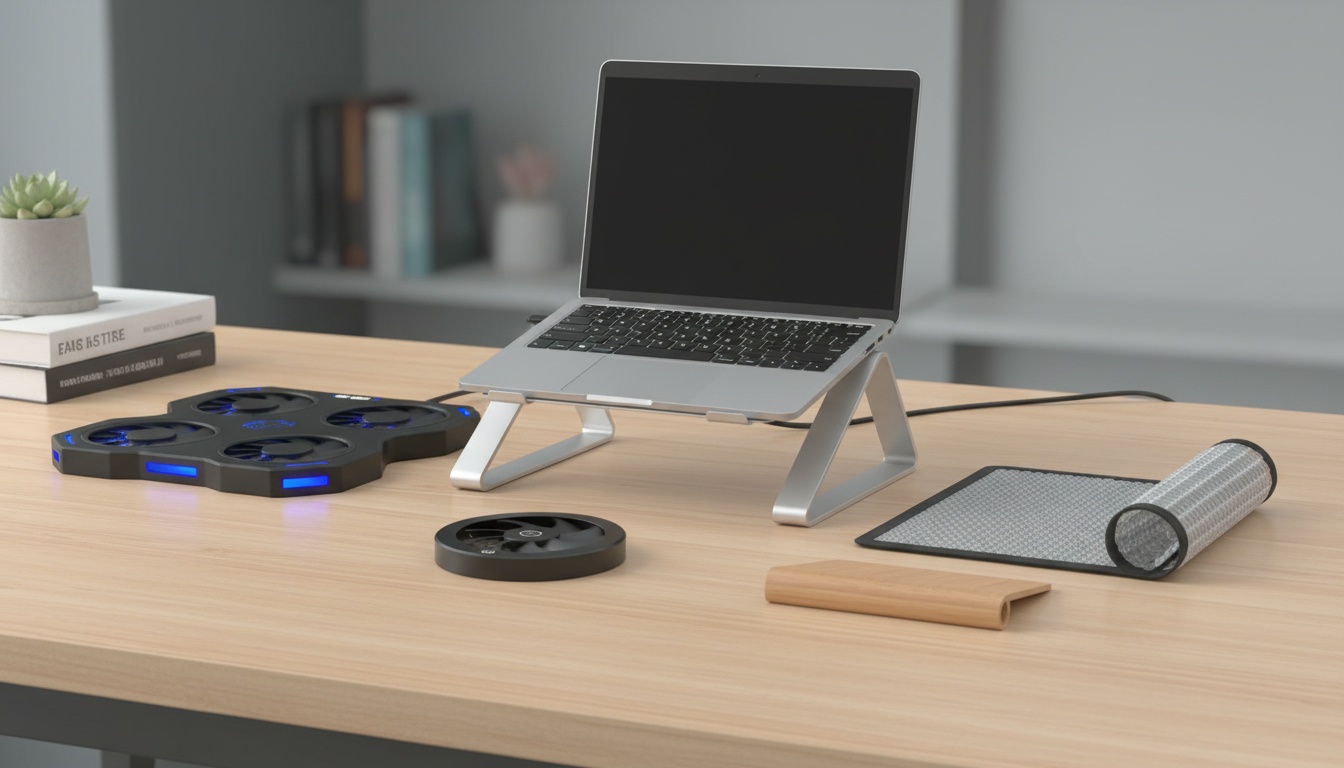
Imagine a mini “wind tunnel” platform that sits underneath your laptop, complete with built-in fans (usually 1-5), mesh surfaces, and sometimes even lights and extra USB ports. The idea is pretty simple: the fans pull in cool air and blow it right at the hottest parts of your laptop (usually the bottom), helping to lower internal temps.
But, as I learned from some less-than-stellar Amazon purchases, not all cooling pads are created equal. Some work wonders—others are just noisy desk decorations.
Best Laptop Cooling Pads: What Matters Most?
If you’ve poked around online, you’ve seen the dizzying number of options. How do you tell the difference between clever marketing and actual cooling power? Here’s what I’ve found after testing, researching, and—yes—returning more than one regrettable purchase.
1. Fan Size and Speed: Bigger Isn’t Always Better
Many top-rated laptop coolers use one huge fan (about 150-200mm) or several smaller fans (often 4-6, around 70-90mm). Bigger fans tend to be quieter and move more air at lower speeds. Smaller fans can target heat spots more precisely but may be noisier.
- Airflow: Measured in CFM (cubic feet per minute). Most solid cooling pads push 50–80 CFM; extreme models can hit 100+ CFM.
- Noise: Quieter fans are usually rated at 20–28 dBA (think a whisper); ultra-cheap models can easily hit 35–40 dBA (office chatter).
Here’s a quick, non-scientific observation: my roommate’s old Targus pad (single fan) was twice as quiet as my triple-fan Havit model, but the Havit dropped temps by about 6°C more in stress tests.
2. Adjustable Angles and Ergonomics
Some people (myself included) swear by cooling pads that let you tilt your laptop. It’s not just about cooling—it’s about comfort, especially if you’re typing for hours. But beware: too steep an angle, and your laptop can slide if the pad’s grippy bits are…lacking.
3. Build Quality & Portability
Aluminum mesh tops dissipate heat better and feel sturdier than plastic. If you’re always on the move, lighter (even foldable) cooling pads make a difference. Don’t underestimate the hassle of hauling a 2-pound pad to class or a coffee shop.
4. Bonus Features: Useful or Gimmick?
- Extra USB ports: Great if your laptop is stingy with ports, but beware: some pads don’t provide enough power for all devices.
- LED lights: Fun, but not for everyone. (Do you really want your laptop to glow like a UFO at the library?)
- Fan control: Adjustable speeds can help balance noise and cooling. Surprisingly rare on cheap pads.
Real-World Results: Do Cooling Pads Actually Work?
This is the part I wish I’d read before buying my first pad. Realistically, you’re not going to freeze your laptop—but a good cooling pad can make a difference. Multiple informal tests and reviews (including my own) often show:
- Light laptops: Average temp drop of 5–7°C (41–44°F) under load.
- Gaming laptops: Drops of 8–13°C (46–55°F) are common with high-airflow pads, especially if the laptop’s built-in fans are weak.
- Older laptops: Sometimes see the biggest improvement, especially if their vents are clogged or fans are weak. One friend with a 5-year-old Dell Inspiron saw a whopping 16°C drop after adding a quality pad and doing a little cleaning.
But—and here’s something people often miss—if your laptop’s internal fans are already top-notch, or if its vents aren’t on the bottom, a cooling pad’s benefit might be, well, limited. Don’t expect miracles; expect a helpful nudge in the right direction.
Quick Comparison: Top-Rated Cooling Pads (2024 Snapshot)
I won’t pretend there’s a “one-size-fits-all” winner, but here’s a side-by-side look at some of the best laptop cooling pads in 2024—including what they’re good (and not-so-good) for.
| Model | Fans | Noise | Weight | Ideal For | Cons |
|---|---|---|---|---|---|
| Havit HV-F2056 | 3 (110mm) | Quiet (23 dBA) | 1.5 lbs | All-round, light gaming, portability | No angle adjust |
| Klim Ultimate | 1 (200mm) | Nearly silent (20 dBA) | 1.7 lbs | Office, large laptops | RGB lights non-removable |
| Cooler Master Notepal X3 | 1 (200mm) | 26 dBA | 2 lbs | Gaming, strong cooling | Heavier, bulkier |
| Thermaltake Massive 20 RGB | 1 (200mm) | 24 dBA | 2.5 lbs | 17″+ laptops, max cooling | Bulky, pricier |
| Targus Chill Mat | 2 (80mm) | Very quiet | 1.6 lbs | Home, office, moderate cooling | Limited airflow |
How to Pick the Best Laptop Cooling Pad (For You)
Let’s step through the main decision points, because honestly—everyone’s needs are a little different. Here’s my real-world checklist, learned from trial, error, and more than one “meh” buy:
- Match pad size to your laptop. If you’re using a chunky 17-inch gaming beast, most portable pads won’t cut it.
- Decide if you want quiet or cool—or both. Ultra-quiet pads are great for work or school, but gamers and video editors may want maximum airflow, even if it’s a little louder.
- Think about extras you’ll actually use. USB hubs, angle adjust, lights—nice, but only if you care.
- Set a budget, but avoid going too cheap. Sub-$20 pads rarely move enough air. The sweet spot for quality is $30–$50.
- Read user reviews and look for real temperature drops. Don’t trust only the “specs”—see what real people say, especially about durability.
Behind the Scenes: What Makes a Cooling Pad Actually Effective?
Here’s something most marketing glosses over: cooling pads work best when they have direct airflow to actual vents and hot spots. Some laptops (like many new MacBooks) barely have bottom vents at all, meaning a cooling pad won’t do much. Others, like most gaming PCs, suck in air from the bottom and spit it out the side—making them perfect candidates.
There are also a few less-obvious factors:
- Room temperature: If your room is already a sauna, the best cooling pad in the world won’t work miracles.
- How you sit: Laptops used on soft surfaces (beds, couches) benefit hugely. Hard desks are already better for airflow.
- Dust & cleaning: If your laptop’s fans and heatsinks are clogged, a cooling pad can only help so much. Sometimes, a good cleaning works wonders.
Are There Downsides? Let’s Be Honest.
- Noise: Some pads buzz or whine, especially cheap ones with small, fast-spinning fans. If you’re sensitive to noise, pick a big-fan model.
- Port usage: Most pads connect via USB, so you “lose” a port unless the pad provides a pass-through.
- Portability: Even light models are one more thing to carry. Some students I know gave up on their pads when schlepping to class.
- Effectiveness: Not all laptops benefit. If you’re already running cool (say, under 60°C idle), you might not see much difference.
Quick Stories: When a Cooling Pad Was a Game-Changer
Let me share a quick anecdote. My friend, a video editor, swore by her old MacBook Pro—until it started randomly shutting down during long export sessions. She’d tried everything (from cooling software to awkward “laptop on a stack of books” hacks). A solid aluminum cooling pad dropped her export crash rate to zero. A year later, her battery is also in better shape than expected.
On the flip side, another friend with a fancy ultrabook barely noticed any improvement. Why? His laptop’s vents were on the sides and back, not the bottom. Proof: it pays to check your own laptop design before spending money.
Frequently Asked Questions About Laptop Cooling Pads
Do cooling pads extend laptop life?
They can! By lowering internal temperatures, cooling pads help reduce heat stress on sensitive parts—like the CPU, GPU, and battery. That means less likelihood of slowdowns or surprise breakdowns. But a cooling pad isn’t magic; it’s just a tool in the fight against heat.
Will a cooling pad make my laptop quieter?
Usually, yes—because your laptop’s own fans don’t have to work as hard when the system stays cooler. But some pads are noisy themselves, so it really depends on the model. If you hate fan noise, look for pads with larger, slower-spinning fans (they tend to be quieter).
Are expensive cooling pads worth it?
Not always. More money might get you RGB lights or “premium” branding, but mid-priced pads ($30-50) often cool just as well as $70 models. What matters is airflow, build quality, and fit for your laptop—not just price.
Do all laptops need a cooling pad?
Nope. If you mostly use your laptop for web browsing, writing, or light work—and it never gets hot to the touch—you’re probably fine without one. But for gaming, video editing, or older laptops, a good cooling pad can be a real lifesaver.
Can I use a cooling pad on my lap?
Most pads are designed for hard surfaces, but some models (like Targus Chill Mat) are sturdy enough for lap use. Just make sure the fans aren’t blocked by clothing or blankets, or you’ll defeat the purpose!
A Final Thought: The Human Side of Cooling Pads
Choosing the best laptop cooling pads is a little like picking shoes: it depends a lot on where you’ll go and what you’ll do. For some of us, it’s a must-have accessory that keeps our tech running smooth and cool—literally. For others, it’s an optional upgrade, maybe even a “nice-to-have” bit of desk bling. My takeaway from years of tinkering and troubleshooting? Good cooling is about prevention—like sunscreen for your computer. A little effort now can save hours of frustration (and maybe money) later on.
So, whether your laptop is your lifeline for school, your creative canvas, or your gaming command center, remember: keeping things cool is more than just a temperature reading. It’s about peace of mind, comfort, and—just maybe—getting a little more life out of the tech you rely on every day.