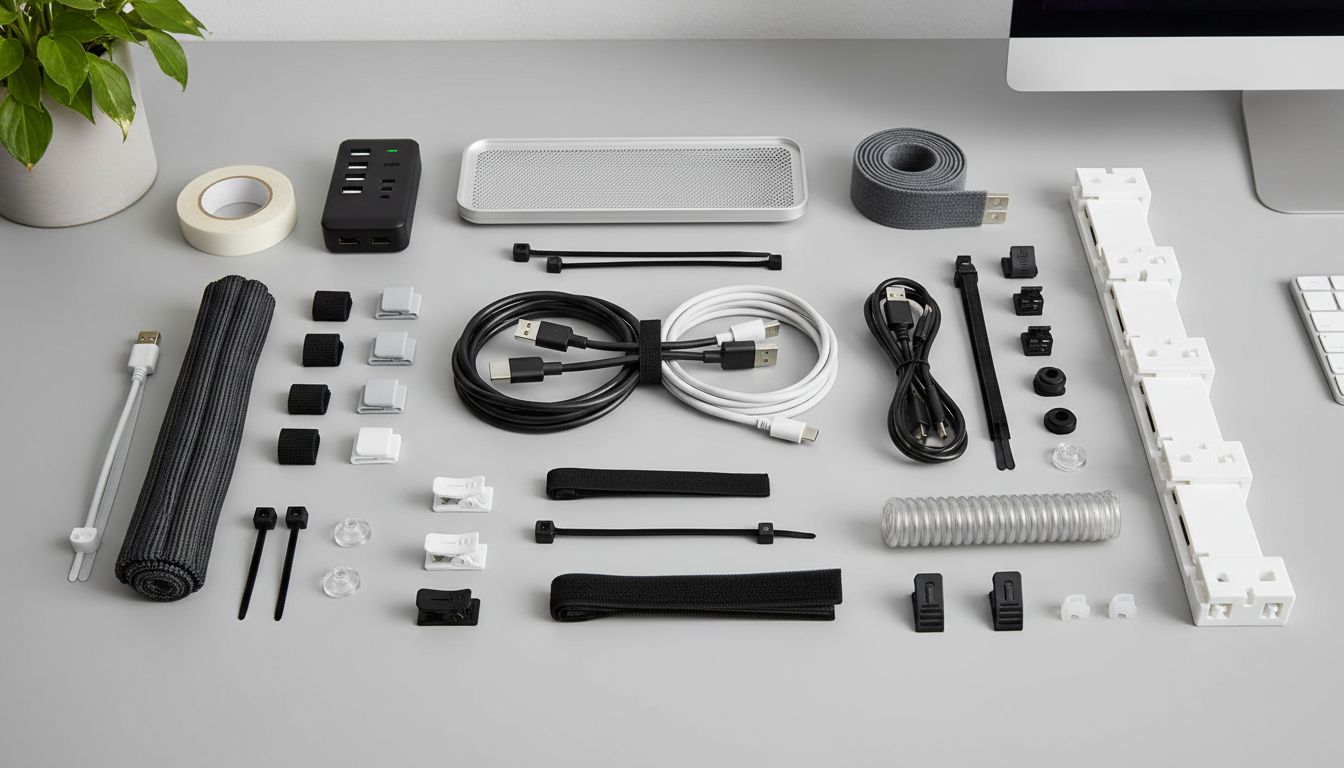
Let’s face it: few things ruin a good desk setup faster than a wild tangle of cables. Whether it’s your gaming rig, a home office, or the mess behind the TV, cable spaghetti is a universal headache. That’s why finding the best cable management tools isn’t just about aesthetics—it’s about keeping your space safe, efficient, and (honestly) a little less embarrassing when company stops by.
If you’ve ever spent 15 minutes untangling a single phone charger, you’re not alone. In my first apartment, I remember crawling behind my TV stand, flashlight in hand, swearing I’d “finally organize those wires.” It took a lost HDMI cable and one too many trips to the hardware store before I realized the right tools really do make all the difference. And it turns out, I’m not the only one: according to a 2023 Statista report, the average U.S. household owns over 10 connected devices—meaning more cords than ever. No wonder cable chaos is so common.
Why Cable Management Matters: Beyond Looks

Before we dive into the best cable management tools, let’s ask: why does this even matter? Sure, a neat setup looks good, but there’s more to it.
- Safety: Tripping hazards are no joke. Unmanaged cables can cause falls (especially for kids and pets) and even spark electrical fires—something the National Fire Protection Association warns about.
- Device Longevity: Tangled or bent cords wear out faster. Good cable management keeps your tech working longer and reduces replacement costs.
- Efficiency: Ever unplugged your router instead of your lamp? Me too. Well-organized cables save time and frustration.
It’s one of those upgrades that seems small—until you try it. I’ve seen office managers spend less than $30 on cable organizers and immediately notice fewer IT calls about “mystery unplugged devices.”
The Best Cable Management Tools: My Honest Picks
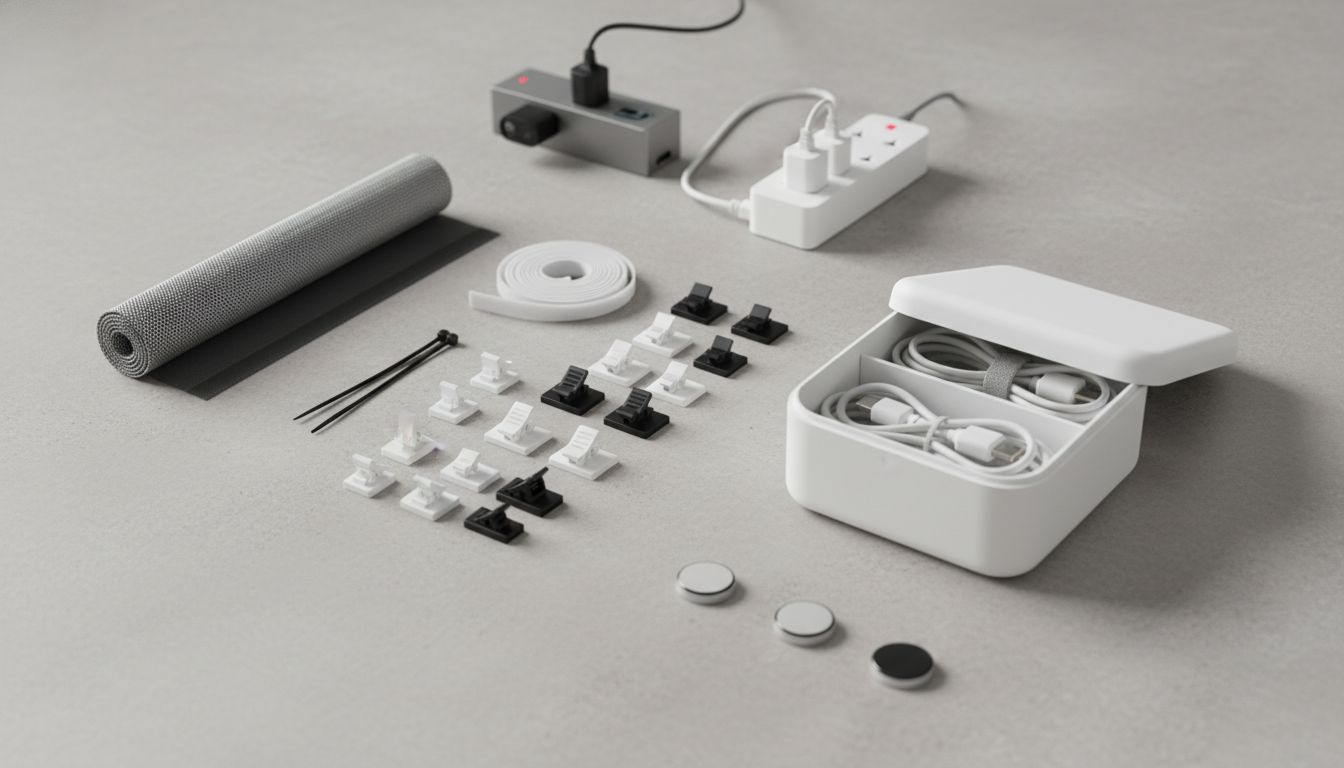
There’s no single “miracle tool” for everyone, but the right mix can transform any space. Here’s a breakdown of the top cable management solutions, with pros, cons, and a few real-life stories sprinkled in.
Cable Sleeves: Tidy Bundles in Seconds
Imagine those thick, flexible tubes you sometimes see snaking behind a TV or under a desk—that’s a cable sleeve. They’re like socks for your wires, keeping multiple cords bundled tightly together.
- Best for: Wrangling many cables in one spot (think: behind the computer, entertainment center).
- Pros: Flexible, reusable, often split for easy wire access. Some even come with colored stripes or zippers so you can identify what’s inside.
- Cons: Not ideal if you need to unplug/re-plug single wires often. Can be bulky if overfilled.
A tech friend of mine swears by these in TV setups, saying cable sleeves reduced accidental cord snags (and pet chewing) by almost 80% at his house. That’s a win in my book.
Cable Clips: Stick, Snap, Done
Cable clips are little adhesive-backed fasteners that hold single or multiple cords. You stick them anywhere—desk edge, wall, nightstand—and feed your cables through.
- Best for: Keeping charging cables, mouse cords, and headphones handy but out of the way.
- Pros: Cheap, easy to install, and available in dozens of sizes and colors.
- Cons: Adhesive can lose grip on rough or dirty surfaces. Not great for super-heavy cords.
According to a 2022 office survey, cable clips were the “single most-used cable tool” among remote workers—probably because they’re so simple you’ll actually use them.
Velcro/Hook-and-Loop Ties: The Reusable Heroes
A classic! Velcro ties (also called hook-and-loop wraps) are flexible strips that wrap around bundled wires. If you’re someone who regularly reorganizes tech, these are a must-have.
- Best for: Bundling extra-long cords, grouping chargers for travel, or temporary organization.
- Pros: Cheap, reusable dozens of times, gentle on cables, and easy to adjust. A pack of 50 costs less than a pizza.
- Cons: Easy to over-tighten. Not as “pretty” as some options.
Fun fact: Most professional AV installers prefer Velcro over plastic zip ties, since they don’t cut into wires or require tools to remove.
Cable Boxes & Cable Management Trays: Hide the Mess
Let’s be real: sometimes you just want to make the mess disappear. Cable boxes are sturdy containers that hide chargers, surge protectors, and extra cord mess. Cable trays attach underneath desks to corral everything above floor level.
- Best for: Home offices, gaming setups, shared family rooms—anywhere you need to hide power strips and bulky cords.
- Pros: Out of sight, out of mind. Reduces dust and pet access. Some have heat vents and childproof lids.
- Cons: Bulky. Not a solution for cords that need regular adjustment.
I once helped a friend who kept tripping over cords under his desk. We spent $25 on a cable tray, and the next day he texted: “Zero stubbed toes this week. Magic.” Sometimes, a simple shelf is the hero.
Zip Ties: Cheap but Tricky
Zip ties (plastic cable ties) are everywhere because they’re strong, cheap, and hold a bundle tight. But they’re not perfect.
- Best for: Permanent or semi-permanent installations—behind TVs, appliances, or network racks.
- Pros: Cost a few cents each. Hold big bundles. Good for places you won’t need to change often.
- Cons: One-time use (you have to cut them off). Can damage wires if over-tightened.
Quick story: I once used zip ties to group all the holiday lights for storage. The next year, I cursed myself—snipping 20 tiny plastic knots just to decorate again. Lesson learned: great for “set it and forget it,” not for anything you swap out regularly.
Mini-Analysis: What Actually Works for Most People?
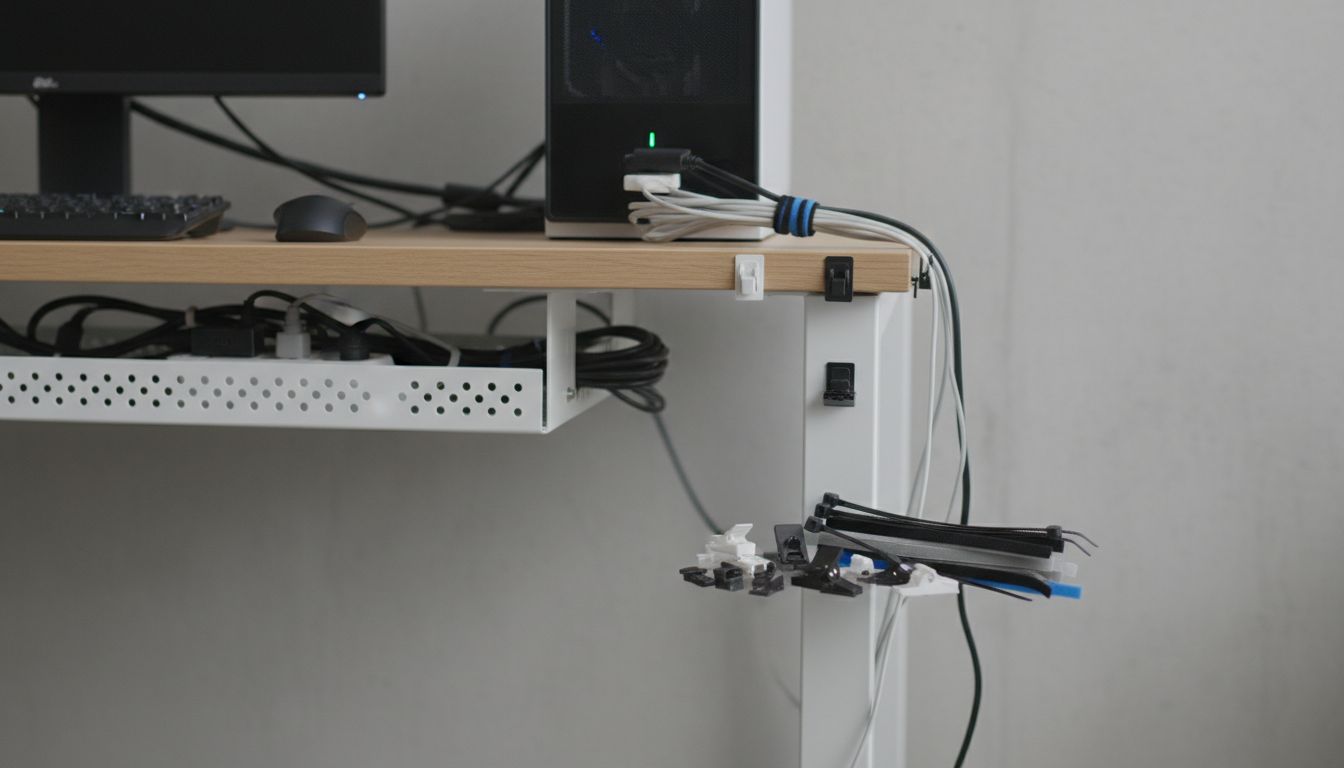
If you look at Amazon’s best-selling cable management tools, about 60% are cable clips or Velcro ties—probably because they’re affordable and easy for anyone to use. More complex tools (like trays or sleeves) make up about 30%, and cable boxes about 10%.
For most everyday setups (think home office or bedroom), a combo of cable clips and Velcro ties solves 80% of cable mess. If you’re setting up a family entertainment center or a business, you’ll probably want to add a cable tray or sleeve to hide (not just bundle) the bigger chaos.
Here’s something people often miss: there’s no shame in mixing and matching. I use Velcro ties for my monitor cables, clips for my phone cords, and a cable box for the ugly power strip. It’s not about purity—it’s about what works.
Step-by-Step: Building a Cable Management System That Lasts
- Assess Your Space: Grab a notepad. List your devices and sketch where cables run. Don’t skip chargers or “temporary” wires (those are usually the worst offenders).
- Group by Use: Bundle together wires with similar functions (e.g., PC peripherals, chargers, audio cables). This helps later if you need to swap things out.
- Choose Your Tools: Mix and match from the above picks. If you move things a lot, lean toward Velcro and clips. For hidden, long-term setups, try sleeves and trays.
- Install Gradually: Don’t try to conquer the whole house in one afternoon. Start with your desk or TV stand. Once you see the difference, you’ll have motivation to tackle the next spot.
- Label Everything: Trust me—future you will thank you. A bit of masking tape and a Sharpie can save hours.
The biggest mistake I see? Overcomplicating things. It’s surprisingly satisfying to spend 20 minutes and watch the chaos disappear—sometimes, it almost feels like a life upgrade.
Quick-Glance Comparison: The Top 5 Cable Management Tools
| Tool | Ideal For | Pros | Cons |
|---|---|---|---|
| Cable Sleeves | Multiple cords in one spot | Neat, flexible, reusable | Bulky, not ideal for frequent changes |
| Cable Clips | Single/charging cords | Cheap, easy, everywhere | Not for heavy cables |
| Velcro Ties | Grouping, travel, frequent changes | Reusable, gentle, cheap | Not the prettiest, easy to lose |
| Cable Boxes/Trays | Hiding big messes | Out of sight, safe, neat | Bulky, harder to adjust |
| Zip Ties | Semi-permanent setups | Strong, cheap, secure | Single-use, can damage wires |
What About Wireless? (And Other Myths)
Here’s a myth I run into all the time: “I don’t need cable management, I’m all wireless now!” But let’s be real—even in a “wireless” world, there are always power cords, chargers, and connections lurking out of sight. According to a recent Consumer Reports study, over 85% of people still use at least three plug-in devices in their main living space. Yep, cords aren’t going away soon.
My advice? Embrace the mess, then tame it with the right tools. Even the most high-tech setups need a little old-school organizing.
Best Cable Management Tools for Unique Spaces
Let’s break down a few unusual scenarios:
- Dorm Rooms: Limited outlets, tight space. Try surge-protector power strips combined with Velcro ties and cheap plastic cable clips. Bonus: most can be stuck on with removable adhesive (no nail holes to lose your deposit).
- Work-from-Home Setups: Between webcams, lights, and monitors, things get messy fast. Cable trays under the desk + a handful of cable clips = night-and-day difference.
- Family Living Rooms: Hide the jumble behind the TV with a cable sleeve, and keep chargers neatly clipped to a charging station. Use a cable box for the power strip—especially if toddlers or pets roam around.
I once saw a clever hack: a teacher used washi tape to color-code her classroom laptop chargers. Not exactly a “tool,” but it shows that a little creativity (with the right basics) goes a long way.
Expert Observations: What the Pros Do Differently
Ever peek behind the scenes at a recording studio, hospital, or high-end office? Professional installers almost always use:
- Label makers for every wire
- Cable raceways (plastic tracks that snap shut over wall cords)
- Cable sleeves and trays—rarely zip ties unless absolutely permanent
- Color-coded Velcro ties for easy grouping
The biggest trick? They plan before they plug in. It sounds obvious, but most of us just add “one more charger” and hope for the best. The pros lay out everything, group by function, and leave slack where devices might move.
It’s not about perfection. It’s about making your setup a little easier, a little safer, and a lot more enjoyable.
Real-World Example: A Home Office Makeover
Let’s follow Alex, a freelance designer, who transformed her work-from-home setup:
- Before: Desk surface cluttered with charging cables, headphones, and docking station cords. Power strip on the floor, constantly dusty, and a magnet for tripping her backpack strap.
- Action: She used five cable clips for her main device chargers, a Velcro tie bundle for the monitor and laptop cables, and a simple cable tray attached under the desk.
- Result: “It’s like I have two extra feet of desk space,” Alex said. She also reported fewer “where’s my charger?!” moments and way less dust around her power strip.
The entire fix cost under $40 and took less than an hour. Not exactly rocket science, but a perfect example of how the best cable management tools can turn chaos into calm.
FAQ: Your Cable Management Questions Answered
What are the most essential cable management tools for beginners?
Great question! If you’re just starting, I’d recommend grabbing a pack of Velcro ties and a handful of cable clips. These cover about 80% of basic cable clutter and don’t require any installation skills. For hiding bigger messes (like a power strip jungle), throw in a small cable box or tray.
How do I organize cables for a home entertainment center?
Start by unplugging everything (yes, it’ll look worse before it looks better!). Group your cords by device, label each one, then bundle them with Velcro ties. Use a cable sleeve for the main tangle behind the TV, and tuck the power strip inside a cable box if you can. Cable clips help keep game console wires tidy, too.
Do zip ties damage cables?
Zip ties are safe if you don’t over-tighten them. But if you pull too hard, they can pinch or even cut into the cable insulation—which isn’t great long-term. Professionals usually prefer Velcro ties for that reason (plus, they’re reusable).
Can I manage cables without sticking anything to my furniture?
Absolutely. Try using Velcro ties to bundle cables and place those bundles behind or under your furniture. Cable sleeves can sit on the floor or behind equipment without adhesives. Some cable trays use clamp mounts instead of screws or sticky pads.
How often should I update my cable management setup?
Whenever you add or remove devices, it’s worth giving your setup a quick review. I do a “cord check” every few months—especially before holidays or big work projects. It takes 10 minutes and usually prevents a world of annoyance later.
A Human Reflection: Why Order Amidst Tech Chaos Matters
If you’ve made it this far, I suspect you’ve tangled with cable chaos, too. There’s something deeply satisfying about a tidy space, but it’s more than just “looking nice.” It’s about reclaiming a bit of calm in a world that’s already way too busy.
When I finally organized my own workspace—after years of ignoring the growing mess—I noticed I felt more focused, less irritated, and (oddly enough) a little more optimistic every morning. Maybe that’s silly, but it’s real. Investing in the best cable management tools isn’t just about hardware. It’s about giving yourself a small, daily boost of clarity—and who couldn’t use a bit more of that?
So don’t wait for the next stubbed toe or lost charger. Start small. Mix and match the tools that fit your life. And enjoy the peace that comes from a little organized order—one cable at a time.